
Bogon IP Space Explained: What It Is and Why You're Seeing It

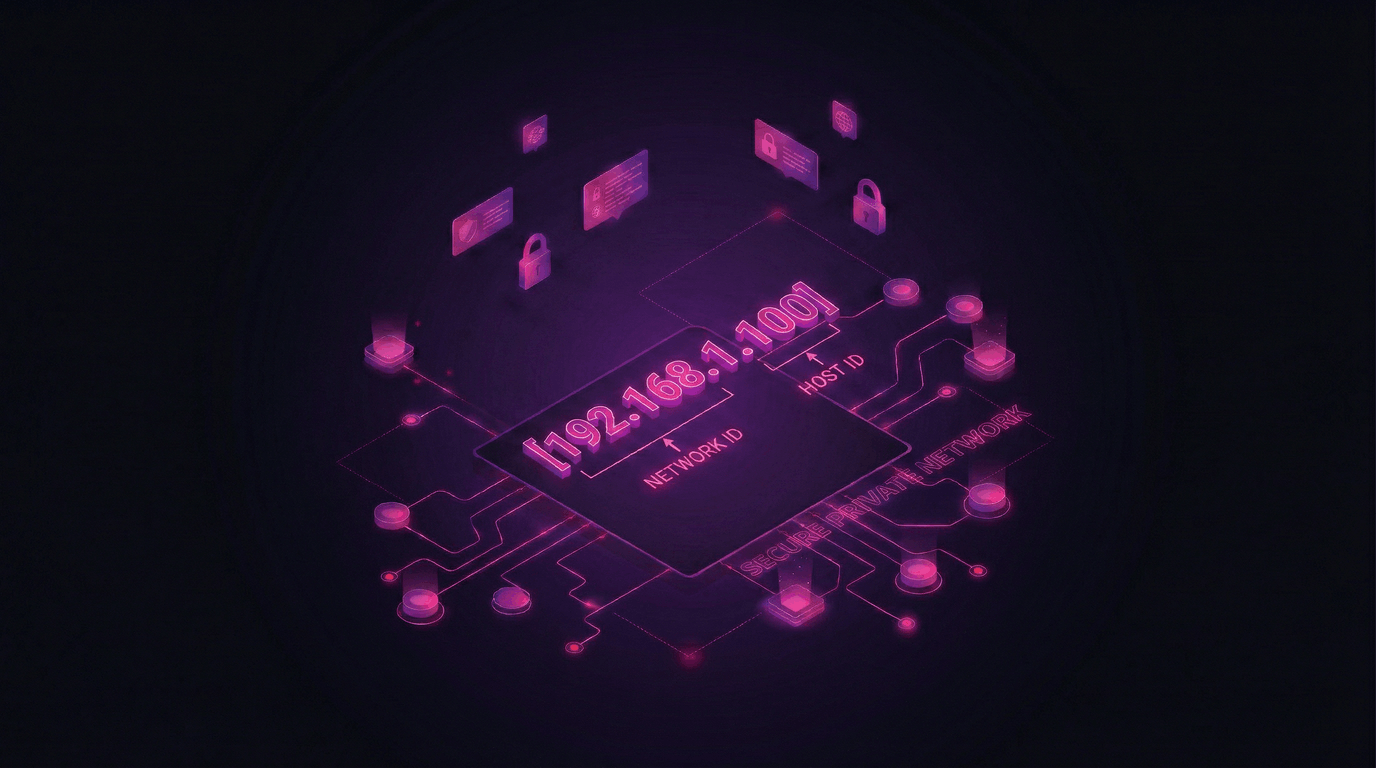
Ever seen a
192.168.x.xaddress pop up while testing your proxy and wondered what went wrong? That's a private IP — it should never leave your local network. Let's clear up the confusion around bogon and private IPs once and for all.
So What's a Bogon IP?
Bogon comes from "bogus." It's any IP address that has no business being on the public internet. These are addresses reserved for internal use, testing, or simply not assigned to anyone yet.
If a bogon IP shows up in your internet traffic — something's misconfigured, or something's leaking.
They include private addresses, loopback, link-local, multicast, and a bunch of other reserved blocks. None of them can reach a website, register an account, or work as a proxy. They only exist behind closed doors.
Popular Bogon & Private IP Ranges
Here's the full list of ranges you'll run into most often:
| Range | Type | What it's for |
|---|---|---|
10.0.0.0 – 10.255.255.255 | Private | Large corporate & cloud networks |
172.16.0.0 – 172.31.255.255 | Private | Medium-sized internal networks |
192.168.0.0 – 192.168.255.255 | Private | Home routers, small offices — the one everyone knows |
127.0.0.0 – 127.255.255.255 | Loopback | Your device talking to itself (localhost) |
169.254.0.0 – 169.254.255.255 | Link-local | Auto-assigned when there's no DHCP — means something's broken |
100.64.0.0 – 100.127.255.255 | Shared / CGN | Carrier-grade NAT — ISPs use this internally |
192.0.0.0 – 192.0.0.255 | IETF reserved | Protocol assignments, not for public use |
192.0.2.0 – 192.0.2.255 | Documentation | Example IPs for docs and tutorials (TEST-NET-1) |
198.51.100.0 – 198.51.100.255 | Documentation | TEST-NET-2 |
203.0.113.0 – 203.0.113.255 | Documentation | TEST-NET-3 |
198.18.0.0 – 198.19.255.255 | Benchmarking | Network testing between devices |
224.0.0.0 – 239.255.255.255 | Multicast | Streaming, group communication |
240.0.0.0 – 255.255.255.254 | Reserved | Set aside for future use — still not routable |
0.0.0.0 – 0.255.255.255 | Reserved | "This network" — basically means nothing |
Quick rule of thumb: if an IP falls into any of these ranges, it cannot access the internet directly and it definitely cannot be used as a proxy.
Private IP vs. Public IP — The Simple Version
Your phone, laptop, smart TV — they all have private IPs like 192.168.1.x inside your home network. But the internet doesn't see those. Your router swaps them for one public IP before anything goes online. That's called NAT.
| Private IP | Public IP | |
|---|---|---|
| Visible online? | ❌ Never | ✅ Yes — that's the whole point |
| Example | 192.168.1.10 | 104.26.5.78 |
| Can register accounts? | ❌ No | ✅ Yes |
| Used by proxies? | ❌ No | ✅ Always |
| Unique globally? | ❌ Millions of devices share 192.168.1.1 | ✅ One owner at a time |
Proxies give you a different public IP. That's literally the whole job. When you connect through a proxy, websites see the proxy's public address instead of yours.
Why Should You Care?
Because if you're seeing private or bogon IPs while working with proxies — your setup is broken. Here's what to watch for:
🚩 Your proxy shows 192.168.x.x or 10.x.x.x — the proxy connection failed and you're seeing your local address. You're not protected.
🚩 WebRTC leaks a 172.16.x.x address — your browser is exposing your internal IP even though the proxy is connected. Websites can see it.
🚩 DNS requests go to your local router — means your DNS isn't routing through the proxy. Sites can figure out your real location.
Before you do anything — create accounts, scrape, run ads — check that your visible IP is a real public address, not a bogon.
What Kind of Public IP Do You Actually Need?
| Proxy Type | Where the IP comes from | Trust Level | Best for |
|---|---|---|---|
| Datacenter | Cloud servers, hosting | Medium | Scraping, bulk tasks |
| Residential | Real home ISPs | High | Account creation, social media, SEO |
| Mobile | 4G/5G carriers | Very high | Facebook, Google, high-trust platforms |
Residential and mobile IPs win on trust because they come from real internet providers. To any website, you look like a regular person — not a server.
Bottom Line
Bogon and private IPs live inside local networks. They don't touch the public internet, they can't work as proxies, and if they show up in your connection — something needs fixing.
What matters for your accounts, SEO, and online work is the public IP your proxy gives you. Make sure it's clean, properly sourced, and actually routable.
💡 Our Take
For account creation and anything where trust matters — residential proxies are the move. Real public IPs from real ISPs. Websites can't tell you apart from a regular home user.
👉 Check Out Residential Proxy Plans
Need Clean Public IPs?
Millions of real IPs worldwide. Residential, datacenter, mobile — whatever fits your workflow.
🔥 See All Proxy Plans
Instant setup. Works with every antidetect browser out there.