
AdsPower is an antidetect browser. You create browser profiles in it, and each profile has its own fingerprint, cookies and local data. To a website, every profile looks like a different device.
The IP address is part of that picture. If all your profiles share one IP, sites can still connect them. AdsPower does not include proxies of its own, so you bring your own and set one per profile. This guide shows you how with FonProxy.
Before you start
You need:
- An AdsPower account and the AdsPower app, signed in.
- A FonProxy proxy. Find the host, port, username and password in the FonProxy dashboard → Proxies. No proxy yet? Try the free test or see the pricing.
Choose the product by how long an account needs the same IP:
- Rotating residential with a sticky session. Fits when you need many profiles or many countries. The country and session go into the username, and each profile keeps one IP for the session time.
- Static IP (ISP, private, mobile per-IP). Fits when an account must stay on one IP for a long time. Every IP has its own port and keeps its country for the whole period.
Get your FonProxy credentials
Open the FonProxy dashboard. Every proxy you own is one row — host, port, username and password. Hit Copy next to it and you are set.
- Host & port — the same host for all proxies, a different port per proxy.
- Username — your base username, with country or sticky-session suffixes if you need them.
- Password — unless you added your IP to the FonProxy whitelist, in which case leave it empty.
Build the proxy login
Every FonProxy proxy uses the host fon.ac. Ports start at 20001, one per proxy.
| Field | Example value |
|---|---|
| Host | fon.ac |
| Port | 20001 |
| Username | u_4f1c92ab07de-t_30-s_ap01-c_de |
| Password | YOUR_PASSWORD |
The base username is u_4f1c92ab07de. Rotating products take two optional parts:
- Country:
-c_de. Use an ISO code such asus,gb,de,brorjp. Without it you get any country. - Sticky session:
-t_<minutes>-s_<sessionid>. Minutes can be 15, 30 or 60.-t_30-s_ap01keeps one IP for 30 minutes under the session nameap01. - If you skip the session part, the IP changes with every request. Logins break when that happens, so use a sticky session in each AdsPower profile.
Use a different session id in every profile, and a country that matches the account's region.
Static IP products use the plain base username, with no suffixes. The port selects the IP.
The dashboard copy buttons give host:port:username:password and username:password@host:port. The first format is the one AdsPower uses for its proxy list.
Step by step with screenshots
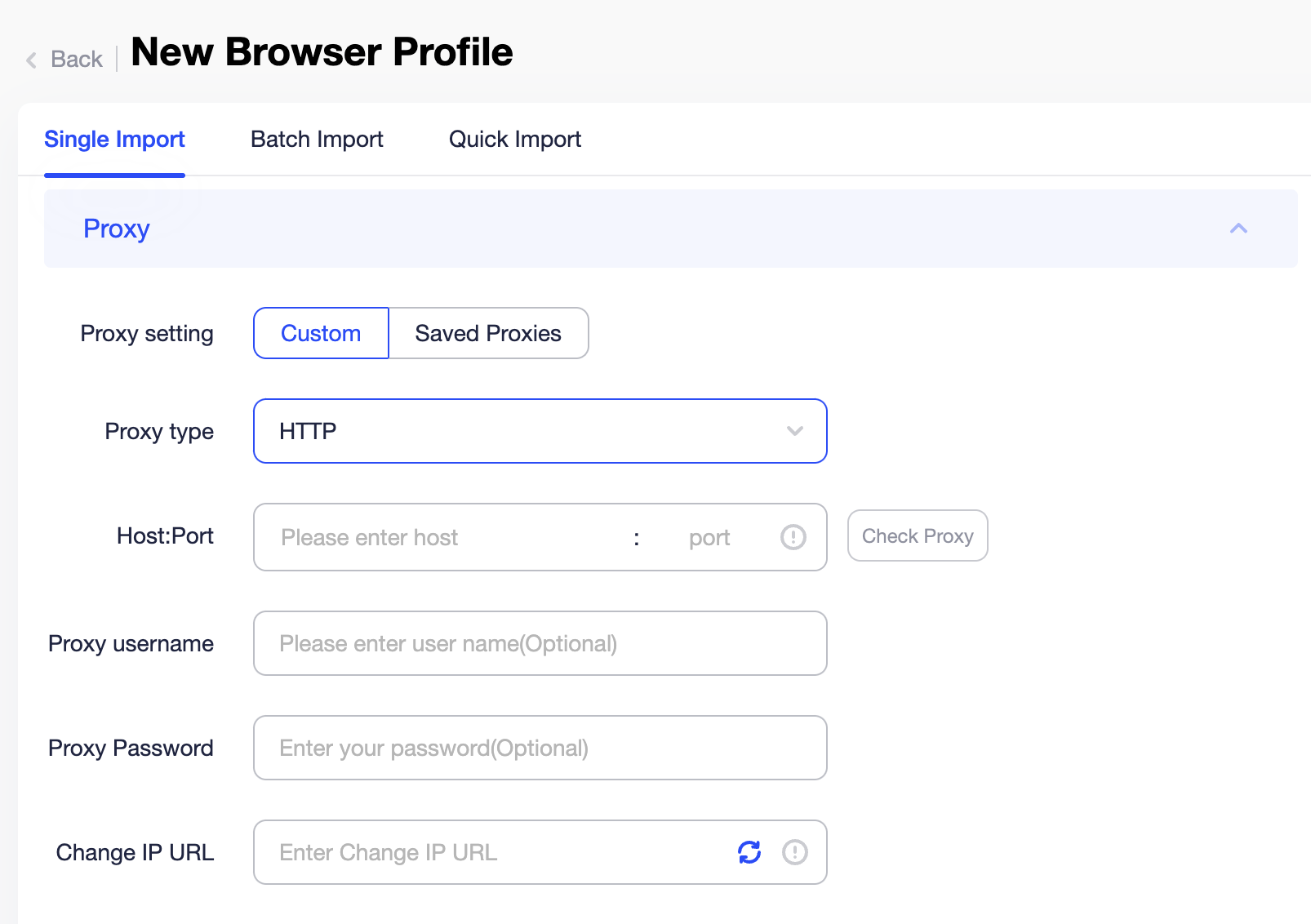 Choose Custom and HTTP, HTTPS or SOCKS5 in the profile.
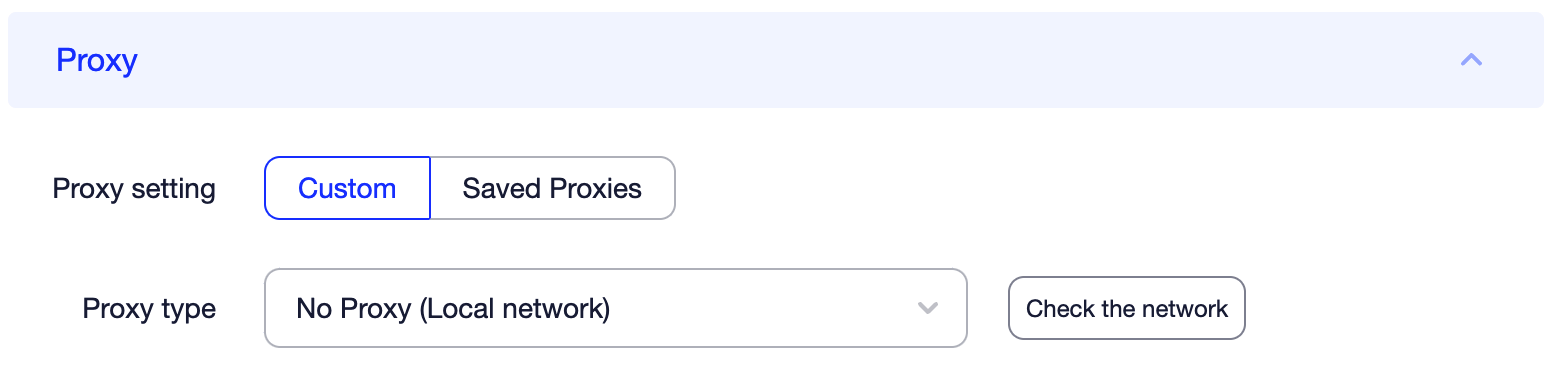 Hit Check Proxy — the IP and country should match what you set.
Add a proxy to a new profile
- Open AdsPower and go to Profiles.
- Click New Profile.
- Under General, give the profile a name.
- Go to the Proxy section and choose Custom.
- Set Proxy type to HTTP, HTTPS or Socks5.
- In Host:Port, enter
fon.ac:20001(use your own port). - In Proxy username, enter your username with suffixes, for example
u_4f1c92ab07de-t_30-s_ap01-c_de. - In Proxy Password, enter
YOUR_PASSWORD.
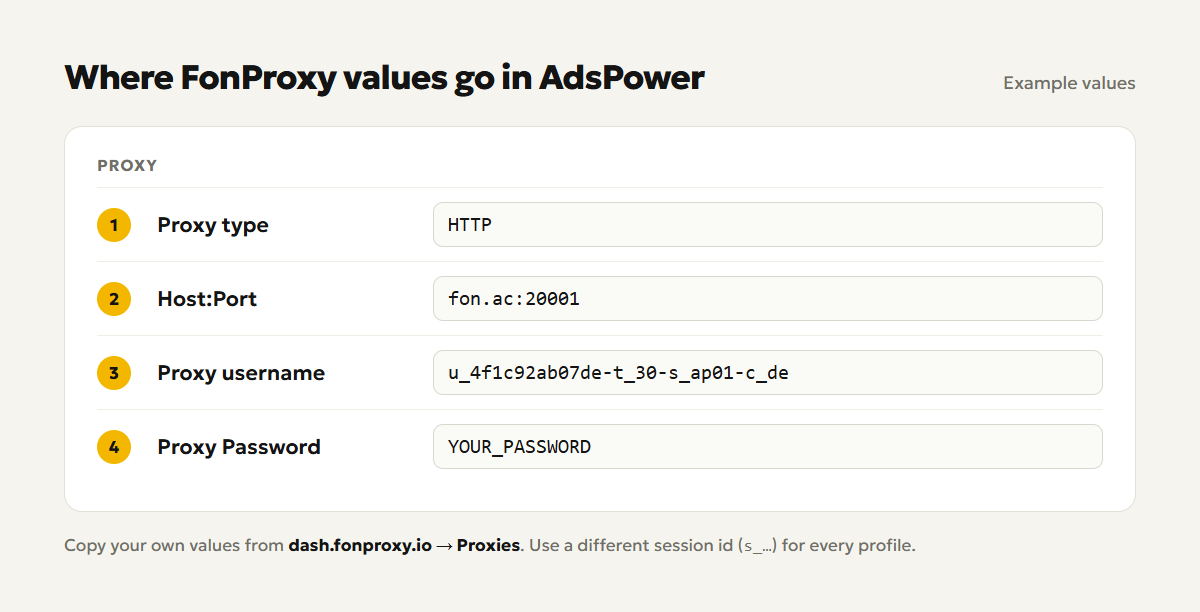
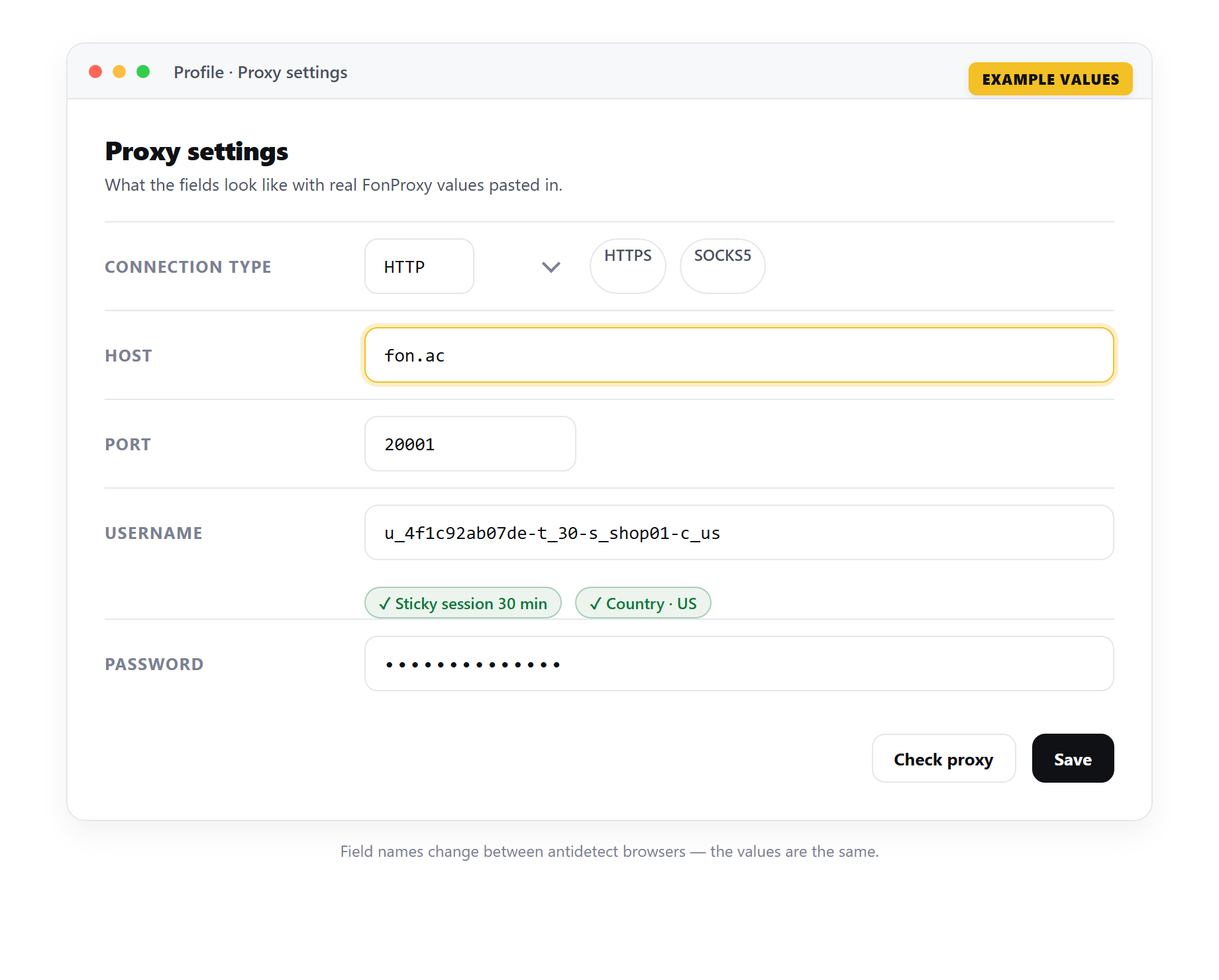 Example only — the field names change between antidetect browsers, but the FonProxy values stay the same.
- If you use the FonProxy IP whitelist, leave username and password empty.
- Click Check Proxy.
- Click OK to create the profile.
- Find the profile in the list and click Open.
Check the connection
After Check Proxy, AdsPower shows Connection test passed or Connection test failed. A pass means the app reached the proxy with your login.
Then check from inside the profile:
- Click Open on the profile.
- Visit an IP check site in that window.
- Confirm the IP is not your own and the country matches your
-c_code.
Reload after a minute or two. With a sticky session the IP stays the same.
Many profiles at once
Saved proxies. In the Proxy section, open the Saved Proxies tab and click Add Proxy. Paste your lines into the input box, one per line. You can add a note in curly braces at the end. Click OK to save them to the proxy list.
fon.ac:20001:u_4f1c92ab07de-t_60-s_ap01-c_de:YOUR_PASSWORD{shop-de-1}
fon.ac:20001:u_4f1c92ab07de-t_60-s_ap02-c_de:YOUR_PASSWORD{shop-de-2}
fon.ac:20001:u_4f1c92ab07de-t_60-s_ap03-c_de:YOUR_PASSWORD{shop-de-3}
Each line has its own session id, so each one gets its own IP. To pick the protocol, put it in front, for example socks5:// for SOCKS5. Select the proxies and click Check proxy to test them all. The Outbound IP column turns green for working proxies, red for failed ones, and gray while waiting. Then pick a saved proxy when you create or edit a profile.
Bulk create from a file. Click the + next to New Profile and choose Mass import. Download the TXT or Excel template. In the TXT file, each profile is a block of key=value lines, and a line of asterisks separates the blocks. The proxy part of one block looks like this:
proxytype=http
proxy=fon.ac:20001:u_4f1c92ab07de-t_60-s_ap01-c_de:YOUR_PASSWORD
Change the session id in each block. In the Excel template, keep the column names as they are and delete the example row before you upload.
For static IPs, keep the username without suffixes and use a different port in each line.
Match timezone, language and location
Sites compare the browser's timezone, language and location with the IP. When they all agree, the profile looks normal.
In the fingerprint settings of the profile:
- Timezone: keep Based on IP. This is the default.
- Location: keep Based on IP. You can also choose whether sites must ask before they read it.
- Language: keep Based on IP, so a German proxy gives German.
- WebRTC: do not use Real, since it can show your own IP. Forward or Replace keep the proxy IP in front.
The display language of the browser window is only for you. Websites do not see it.
Set the proxy before you review these values. If you switch the proxy country later, check them again.
Watch it in the app
The AdsPower team has an official video that walks through the same screens. The proxy part starts at 0:57. Use the FonProxy values from the table above wherever the video enters proxy details.
Video: What Is a Proxy & How to Use It in AdsPower
Troubleshooting
| Symptom | Fix |
|---|---|
| Connection test failed, error 407 or auth failed | Copy username and password again from the dashboard. Check for spaces, a missing dash in the suffix, or a wrong port. |
| Timeout | Make sure Host:Port is fon.ac: plus the right port. Try another protocol. AdsPower's help also warns that a system-wide proxy setting on your computer can get in the way, so remove it. |
| Wrong country | Check the -c_ code. Static IPs keep their country for the whole period, so choose another port. IP lookup sites can show different countries for one IP. |
| IP changes mid-session | Add -t_<minutes>-s_<sessionid> to the username. The IP can change once the session ends; use 60 minutes or a static IP for long sessions. |
| Works on one computer only (whitelist) | The whitelist in the FonProxy dashboard only allows the IPs you added. Add the public IP of the other computer, or use username and password. |
Frequently asked questions
Can several profiles share one FonProxy port?
Yes, with a rotating product. Give each profile a different session id in the username and each one gets its own IP.
Which proxy type should I pick?
HTTP, HTTPS and Socks5 all work with FonProxy. Pick one and keep it the same across profiles.
Do I have to set the timezone myself?
No. Leave Timezone, Location and Language on Based on IP.
What is the remark in curly braces?
It is a note that helps you find the proxy in your list. It is not sent to the proxy. Want to try it first? Get a free FonProxy test (https://fonproxy.io/en/test) and set up your first AdsPower profile.
Try it with a free FonProxy test
Spin up a FonProxy proxy and set up your first AdsPower profile in a few minutes. Open a free test or jump to the pricing.
Comments 0
Log in to your FonProxy account to join the discussion.
Log in to commentNo comments yet. Be the first to share your experience.